Mining Rig Setup Guide for Cascoin
You've found a spare desktop, compared a few ASIC listings, and started imagining a quiet stream of mining rewards. Then the practical questions arrive: will the circuit handle continuous load, where will the heat go, and does the machine earn enough to justify its electricity? A sensible mining rig setup guide answers those questions before it tells you which parts to buy.
Cascoin gives you three different ways to participate, from a lightweight maze-based client to CPU mining and SHA-256 ASIC mining. That range makes planning more important, not less. The right build is the one that matches your electricity, room, hardware, and tolerance for maintenance.
Table of Contents
- Why Cascoin Miners Should Plan Before Buying Parts
- Choosing the Right Cascoin Mining Path
- Picking Hardware That Matches Your Mining Path
- Installing the OS, Drivers, and Cascoin Mining Software
- Connecting to the Cascoin Pool and Verifying on Casplorer
- Tuning for Joules per Share Instead of Peak Hashrate
- Security, Eco Habits, and Troubleshooting the Rig
Why Cascoin Miners Should Plan Before Buying Parts
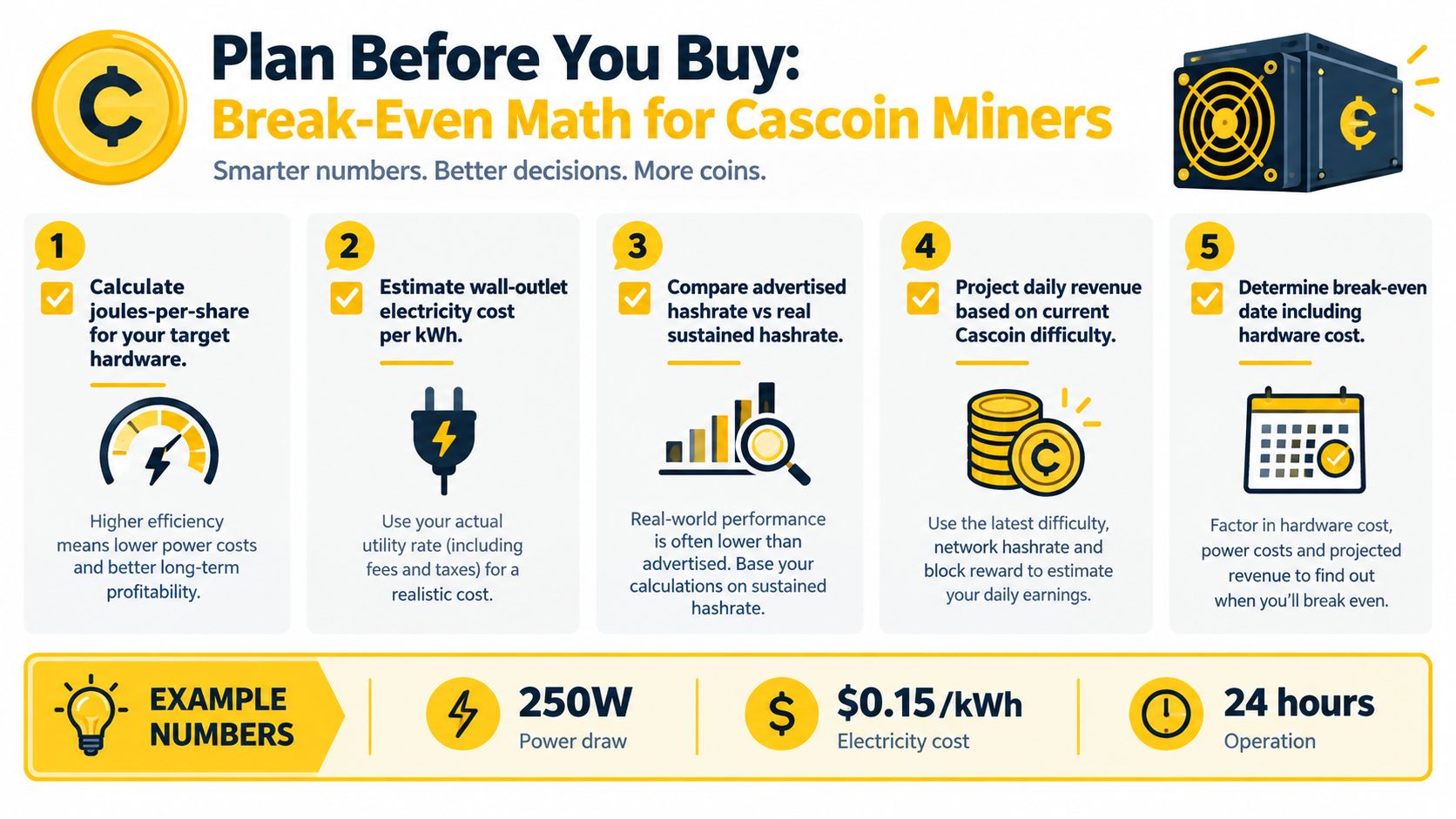
Most beginners start with advertised hashrate. That's backwards. Start with the wall outlet, because the outlet determines your energy bill, heat output, circuit requirements, and the scale at which the project makes sense.
For a complete comparison, record the device's actual wall wattage and sustained accepted work. For SHA-256 equipment, efficiency is commonly expressed as joules per terahash, calculated as watts divided by terahashes per second. A 200 TH/s miner drawing 3,500 W operates at about 17.5 J/TH and consumes roughly 84 kWh per day before cooling overhead, according to this Bitcoin mining hardware efficiency comparison. That example is why a nameplate hashrate alone tells you very little.
For a lightweight or CPU-oriented setup, use the same discipline with a different denominator. Track joules per accepted result, or watts divided by sustained accepted output, rather than treating peak software hashrate as the target. Add the motherboard, storage, fans, networking equipment, and cooling overhead. Software-reported power can be materially different from power measured at the outlet.
Build a location-neutral worksheet
Before ordering parts, make a small spreadsheet. It doesn't need to predict the future perfectly. It needs to expose assumptions you might otherwise ignore.
| Input | Formula | Example |
|---|---|---|
| Electricity use | Wall watts × operating hours | Use the measured outlet draw |
| Energy cost | Daily kWh × local tariff | Apply your actual electricity rate |
| Net mining income | Gross rewards minus pool fees | Use current pool and network information |
| Cooling overhead | Miner load plus fans or cooling equipment | Measure the complete room setup |
| Break-even | Hardware and setup cost divided by net daily result | Recalculate when conditions change |
For a 24-hour operating schedule, calculate watts × 24 and convert watt-hours to kilowatt-hours. Then include pool fees, expected uptime, hardware depreciation, ventilation, maintenance, and replacement risk. If you're comparing a home rig with hosted equipment, include the hosting charge rather than pretending the facility is free.
Practical rule: use sensitivity bands, not one attractive profit estimate. Test residential, commercial, and unusually cheap power assumptions, then see whether the result remains acceptable when difficulty, fees, uptime, or coin price changes.
Bitcoin mining economics show why this caution matters. Industry reporting placed Bitcoin hashprice at about $0.12 in April 2024 and roughly $0.049 in April 2025, while network difficulty reached 123T, so a machine that once appeared viable could become loss-making as conditions changed. Those figures are specific to Bitcoin and shouldn't be transferred directly to another network, but they demonstrate the underlying risk described in this post-halving mining profitability analysis.
The honest outcome may be that you shouldn't build a large rig yet. A small, measured system can teach you more than an oversized purchase, especially when the chain's energy-light design lets you evaluate accepted work without immediately committing to industrial infrastructure.
Choosing the Right Cascoin Mining Path
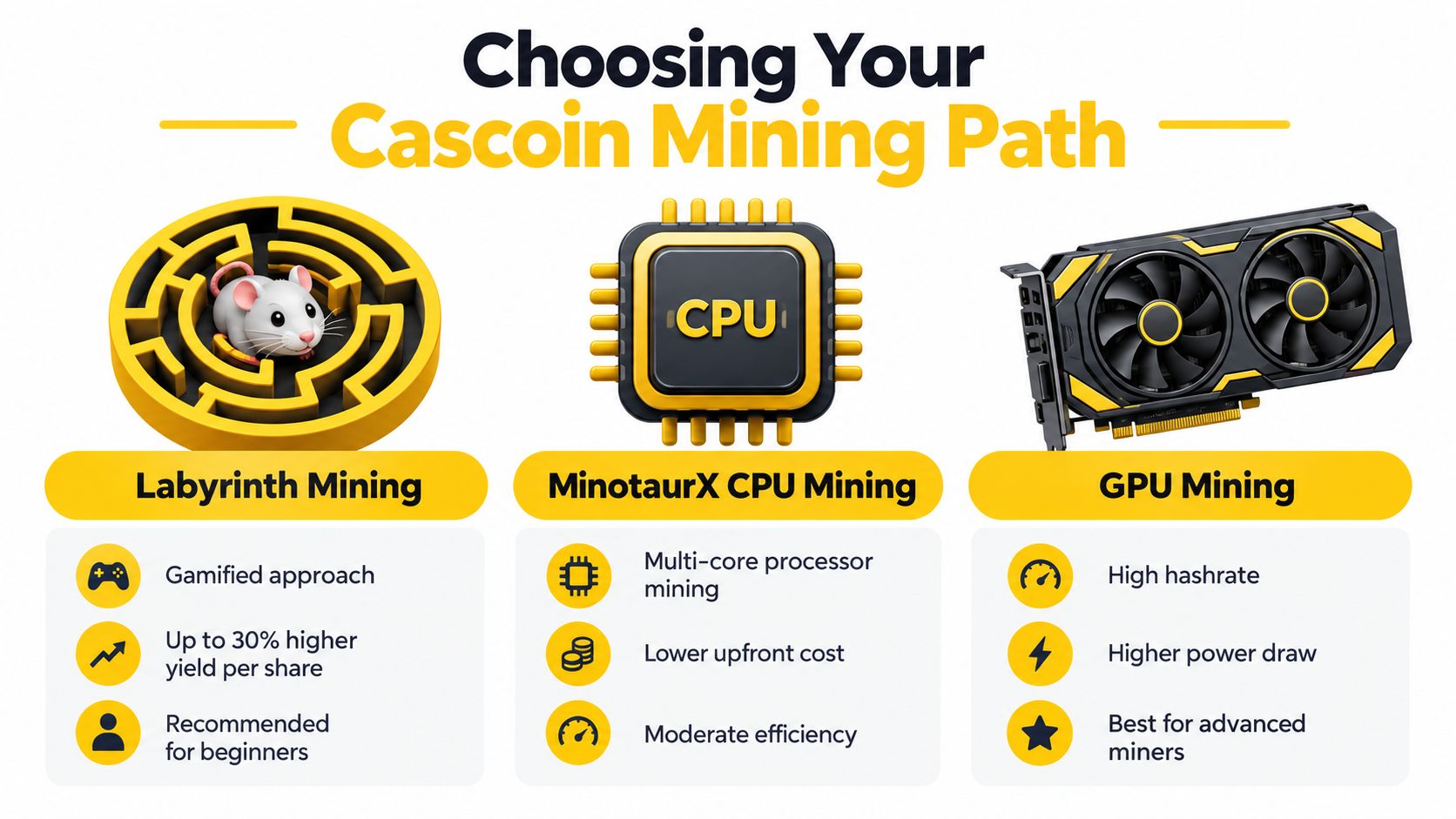
The mining path determines almost everything else: processor choice, graphics hardware, electrical demand, cooling, noise, and maintenance. Cascoin presents three distinct options, so don't select hardware until you know which workload you intend to run.
Labyrinth Mining
Labyrinth Mining uses lightweight software that simulates mice navigating a virtual maze to collect cheese. The project states that this approach can produce up to 3x higher rewards than traditional approaches while using less power. Treat that as a project claim to test on your own hardware, not as a guaranteed return.
This path suits an eco-conscious hobbyist who wants to run a modest system, learn how a pool works, and avoid designing a room around high continuous heat. It also suits a beginner who values a visible, gamified workload rather than a conventional hash race. The client still needs stable networking, reliable storage, safe credentials, and adequate ventilation, but it generally points you toward a lighter build than a dedicated SHA-256 ASIC.
MinotaurX CPU mining
MinotaurX is the natural choice for someone with a spare desktop or a multi-core processor. Its lower hardware barrier makes it useful for learning, testing, and low-power participation. An older machine can still be worth benchmarking, but measure complete system power because idle services, inefficient cooling, and a busy operating system can erase the advantage of reusing existing hardware.
A CPU rig also gives you granular control. You can adjust thread count, clock behavior, voltage where supported, and fan curves without buying a separate mining chassis. Keep the machine stable first, then reduce energy per accepted result.
SHA-256 mining
SHA-256 is for operators who already understand ASIC economics, electrical capacity, noise, heat removal, firmware, and maintenance. An ASIC can deliver far more raw hashrate than a general-purpose desktop, but its fixed load makes mistakes expensive. You can't treat one like a normal PC and place it beside a desk in a poorly ventilated room.
The most powerful machine isn't automatically the best rig. When capital and electricity are constrained, a less powerful but more efficient setup can carry less financial and operational risk.
Choose Labyrinth Mining when low-power experimentation is the priority, MinotaurX when you want to use a CPU, and SHA-256 when you have the infrastructure and economics to support an ASIC. That decision prevents the common error of buying an industrial tool for a hobby-scale workload.
Picking Hardware That Matches Your Mining Path
Hardware selection should follow the workload, not a parts list copied from a different mining algorithm. A Labyrinth or MinotaurX system can often use a normal desktop platform, while a GPU system needs careful attention to PCIe layout and riser quality. SHA-256 usually bypasses the PC build entirely.
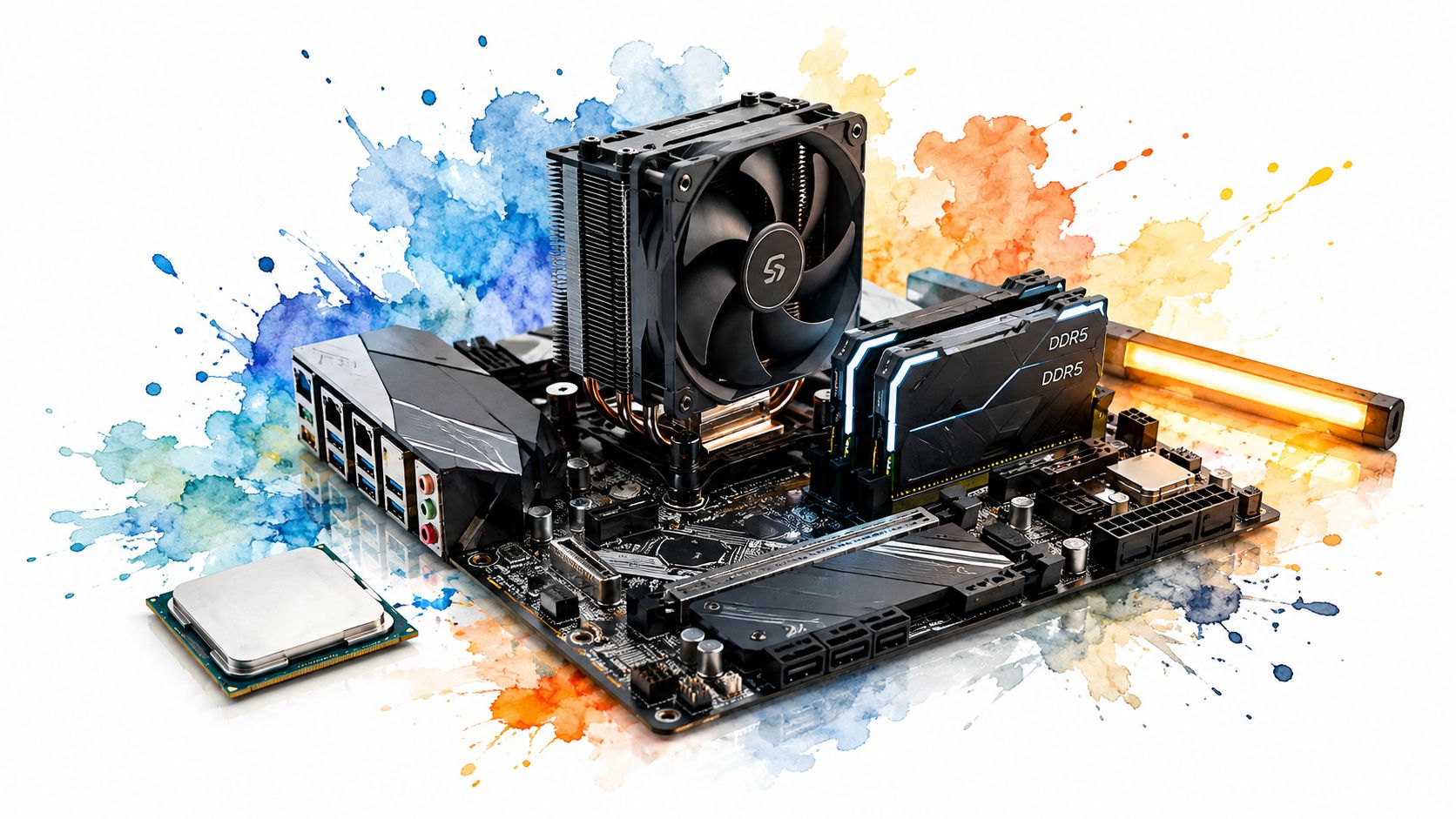
For Labyrinth Mining or MinotaurX, choose a processor with enough cores for the client and leave thermal headroom rather than chasing the highest boost frequency. A low-wattage motherboard, dependable memory, a small SSD, and a straightforward CPU cooler are usually more useful than enthusiast features. Use a quality PSU with appropriate connectors, preferably an 80+ Gold or better unit, and avoid no-name adapters.
Memory capacity should be sufficient for the operating system and client with room for background services. Storage requirements are modest for a lightweight client, but an SSD improves boot reliability and makes logs easier to manage. Keep the system physically clean, with a direct path for cool air and warm air out.
GPU and ASIC considerations
A GPU build needs more than a collection of graphics cards. Check motherboard PCIe spacing, available lanes, riser compatibility, connector quality, frame stability, and airflow across voltage-regulator components. Named-brand risers are worth using because intermittent power or data connections can look like software instability.
Place the GPU in a frame that doesn't obstruct its fans. Avoid daisy-chained power cables, especially where the connector and cable rating don't clearly support the load. Measure the complete frame at the outlet, not just the graphics cards.
Watch this practical hardware overview before finalizing a component list:
SHA-256 requires a different mindset. Select the ASIC by sustained efficiency, acoustics, serviceability, and total wall draw. Confirm the PSU rating, connector arrangement, branch-circuit capacity, surge protection, and ventilation before the machine arrives.
Newer hardware can change the calculation before tuning begins. A 270 TH/s unit drawing 3,645 W operates at roughly 13.5 J/TH, about half the energy per terahash of a 100 TH/s miner drawing 3,000 W, as shown in this explanation of J/TH and mining efficiency. That comparison isn't a profitability guarantee, but it shows why efficiency matters more than headline hashrate.
Installing the OS, Drivers, and Cascoin Mining Software
Use a clean operating system and keep the mining account separate from your everyday identity. A lightweight Linux distribution is convenient for headless rigs, while Windows can be easier for beginners who need familiar driver tools. Whichever you choose, apply operating-system updates, install the correct chipset and graphics drivers, and create a non-root user for mining.
Windows users who need to start from a clean baseline can follow these clean install Windows 10 steps. After installation, disable unnecessary startup applications, confirm that the network adapter is stable, and record the driver version before tuning.
Install and verify the client
Download Cascoin software only from the project's official public repositories or documentation. The code is publicly available and MIT-licensed, which gives technically minded users an opportunity to inspect the source instead of treating an unknown executable as trustworthy.
A safe installation sequence looks like this:
- Prepare the host: Install the OS, chipset package, graphics driver if required, Ethernet drivers, and security updates.
- Create a mining account: Use a dedicated local user with only the permissions the client needs.
- Obtain the software: Download the relevant Labyrinth Mining, MinotaurX, or SHA-256 client from the official Cascoin repository or documented release location.
- Verify the release: Compare the published checksum or signature with the downloaded file before unpacking or launching it.
- Read the configuration: Identify the pool URL, port, worker name, wallet address, logging path, and any hardware flags.
- Start conservatively: Run default settings first. Confirm that the client connects and submits work before enabling performance options.
For Labyrinth Mining, launch the maze client with the wallet and pool details supplied by the project documentation. For MinotaurX, begin with a restrained thread count and watch CPU temperature, system responsiveness, and accepted work. For SHA-256, use the ASIC's administration interface, update firmware only from a trusted source, and configure the pool and payout fields there.
Cascoin's mining operating system documentation can help you choose an operating environment and understand the project-specific workflow. Don't copy command flags from an unrelated miner, because similar names don't guarantee compatible algorithms or configuration formats.
Keep logs from the first launch. Record the software version, driver version, hardware settings, wall wattage, temperature, fan speed, accepted shares, rejected shares, and connection events. That record turns later troubleshooting into comparison rather than guesswork.
Connecting to the Cascoin Pool and Verifying on Casplorer
A running process isn't proof that a miner is contributing useful work. The client must connect to the correct pool endpoint, authenticate with the expected worker details, submit accepted shares, and send rewards to an address you control.
Open the client configuration or launch settings and enter the pool URL and port provided by the current Cascoin pool documentation. Add a worker name that makes sense to you, such as a room or machine label, and enter the payout address from your Cascoin wallet. Check every character before starting the process, especially if you copied the address through a remote session.
The Cascoin pool setup guide is the appropriate project reference for current pool details. Pool endpoints and supported client options can change, so don't rely on an old screenshot or a configuration copied from another network.
Read the symptoms correctly
A dashboard showing zero hashrate doesn't always mean the rig is broken. The worker may be connected but waiting to submit its first share, or the dashboard may update more slowly than the local client. Look at connection status, accepted-share counters, and local logs together.
Use this troubleshooting ladder:
- No connection: Check the Ethernet link, DNS resolution, local firewall, and whether outbound stratum traffic is being blocked.
- Connection but no accepted work: Confirm the algorithm, pool port, worker format, and wallet address.
- Local output but no pool activity: Check whether the client is pointed at the intended endpoint and whether the pool recognizes the worker.
- Accepted shares but no visible payout: Confirm the payout threshold and allow the pool's normal accounting process to complete.
- Unexpected address or rejected payout: Stop the miner and verify wallet security before continuing.
Once the pool reports accepted work, open Casplorer and search the payout address. The explorer gives you an independent view of on-chain activity, while the pool dashboard shows worker performance. Keep those roles separate. A pool share proves submitted work, while a confirmed transaction proves that a payout reached the network.
Tuning for Joules per Share Instead of Peak Hashrate
Peak hashrate is easy to display and easy to misuse. The useful figure is energy consumed for accepted work over a meaningful period, measured at the wall.
Establish a baseline with default settings. Then change only one variable at a time, such as clock, voltage, thread count, fan curve, or workload. Record hashrate, outlet watts, temperature, accepted shares, rejected-share percentage, and uptime in the same log.
For comparable configurations, calculate watts divided by sustained hashrate. On CPU or lightweight workloads, use joules per accepted result where possible. This approach reveals a setup that reports impressive speed but wastes power or produces unstable output.
Run a sustained 24-hour acceptance test, then continue with a 7-day observation before scaling out. Investigate repeated thermal throttling, memory errors, connection drops, fan problems, or rejected shares. An undervolt that looks excellent for a short benchmark isn't useful if the machine drops work overnight.
For practical household adjustments, this energy efficiency guide from Steel City IT offers useful ideas that apply beyond mining. On a GPU, a sensible power cap can reduce heat and noise. On a CPU, disabling unused cores or lowering thread count may improve system-wide efficiency. On an ASIC, use supported firmware controls carefully and confirm that reduced power doesn't create unacceptable instability.
The Cascoin power consumption guidance belongs beside your tuning log. Schedule optional operating periods away from expensive electricity windows where your tariff makes that relevant, but don't trade thermal stability for a small theoretical saving.
Security, Eco Habits, and Troubleshooting the Rig
Keep a hot mining wallet separate from long-term storage, protect pool and RPC credentials, and never paste a private key into a miner configuration. Back up wallet data offline and restrict remote administration to the access methods you need.
Cooling is an electrical and room-design problem. A 5,304 W Antminer S19 XP Hyd illustrates why heat, maintenance, and facility management can't be treated as afterthoughts, as discussed in this post-halving Bitcoin miners report. For a home setup, confirm circuit capacity, maintain a clear airflow path, remove dust, monitor temperatures remotely, and shut down safely during heat waves or grid stress. Immersion cooling is usually excessive for a small operator because fluid handling, capital cost, maintenance, and warranty concerns can outweigh its benefits.
If rejected shares spike after a driver update, roll back or retest the previous configuration. If fan RPM stays low, stop before heat damages hardware. If hashrate falls at a predictable time, look for thermal throttling. If a worker disappears from the pool, check power, Ethernet, the process state, and the host's logs in that order.
For household electrical planning, local safety requirements matter. Brisbane renovators, for example, can use this guidance on smoke alarm compliance for Brisbane renovators as a reminder that mining equipment belongs within a broader electrical and fire-safety plan.
Cascoin offers Labyrinth Mining, MinotaurX CPU mining, and SHA-256 participation, so you can match the workload to your available hardware and electricity instead of overbuilding from the start. Use this mining rig setup guide to measure wall power, verify accepted work, and tune for sustainable efficiency, then visit Cascoin for the current software, pool, wallet, and project documentation.