How to Set Up a Crypto Wallet: The Secure Beginner Guide
In 2025, more than $3.4 billion in cryptocurrency was stolen, and personal wallet compromises accounted for 44% of the stolen value. To set up a crypto wallet safely, verify the software source, protect the recovery phrase offline, test restoration, and treat every approval and network selection as a security decision.
A wallet isn't a bank account with a forgotten-password flow. In a non-custodial wallet, the recovery phrase can recreate control over the funds, while a malicious approval or wrong-network transfer can move assets beyond recovery. The installation itself is only the first checkpoint.
Table of Contents
- Why Wallet Setup Is Your Biggest Security Risk
- Custodial vs Non-Custodial Wallets Explained
- Installing and Initializing Your Wallet Correctly
- Securely Storing Your Seed Phrase
- Adding Cascoin and Connecting to Mining Pools
- Post-Setup Safety and Managing Approvals
Why Wallet Setup Is Your Biggest Security Risk
The most expensive wallet mistakes often happen before a user makes a meaningful transaction. A person searches for a wallet, clicks a sponsored result or a convincing support link, installs altered software, and then enters a recovery phrase into a form that looks legitimate. By the time the wallet displays a balance, the attacker may already have everything needed to take control.
In 2025, more than $3.4 billion in cryptocurrency was stolen overall, including about $713 million from personal wallet compromises, according to the security overview published by Shattered. The reported attacks included seed phrases entered into fake sites, malware extracting private keys, and malicious browser extensions. Personal-wallet theft also rose from 7.3% of stolen value in 2022 to 44% in 2024, according to the same source.

That data changes the order of operations. You shouldn't start by asking which wallet has the most features. Start by asking which software you can verify, where the recovery material will live, and how you'll validate the first transaction without putting significant funds at risk.
The setup decisions that matter most
A secure initialization has several separate controls:
- Source verification: Download only from the wallet developer's official website or a verified app-store listing. Search advertisements, forum attachments, social-media messages, and unsolicited support links aren't trustworthy download channels.
- Recovery protection: Generate a fresh wallet inside the legitimate application. Write the recovery phrase offline, and never enter it into a website, chat, form, or support ticket.
- Transaction validation: Restore the wallet before funding it meaningfully, then send a small test deposit and confirm the receiving address and network.
- Device hygiene: Install operating-system updates, remove suspicious browser extensions, and use a device PIN or biometric lock.
The reported compromise pattern also explains why support scams work. A fake agent doesn't need to break the blockchain. They only need to persuade a user to reveal the recovery phrase or sign an approval. Wallet setup is therefore a security ritual, not a quick app installation.
Custodial vs Non-Custodial Wallets Explained
The first architectural choice is who controls the private keys. A custodial wallet keeps control with an exchange or financial platform. You log in with an account password, and the platform manages the underlying keys. A non-custodial wallet gives you direct control, usually through a recovery phrase or another backup method.
| Wallet type | Who controls the keys | Main convenience | Main trade-off |
|---|---|---|---|
| Custodial | The platform | Password recovery and account support | You depend on the platform's security, availability, and withdrawal policies |
| Non-custodial | You | Direct control and dApp access | Losing or exposing the recovery material can permanently affect access |
| Hot wallet | You or a platform, depending on the product | Convenient internet-connected transactions | The connected device and browser create a larger attack surface |
| Cold wallet | Usually you | Keys remain isolated from ordinary online activity | More deliberate setup, backup, and transaction handling |
Custody isn't automatically good or bad. A custodial account may suit someone who values account recovery and doesn't want to manage key backups. The cost is counterparty exposure. The platform can experience an outage, restrict an account, change withdrawal procedures, or suffer a security incident. Anyone choosing this route should understand the relevant custodial wallet security risks before depositing funds.
A non-custodial wallet removes that particular dependency, but it transfers responsibility to the user. If the recovery phrase is destroyed, incomplete, photographed, or exposed, customer support generally can't recreate the same control. The phrase isn't a password that a developer can reset. It's the recovery mechanism itself.
Hot and cold storage serve different jobs
A hot wallet stays connected to an internet-enabled device and works well for routine transactions, decentralized applications, and small operating balances. It should contain only what you can afford to expose to the risks of a browser, phone, desktop, or connected service.
A cold wallet keeps signing authority more isolated, often through a hardware device that requires physical confirmation. It adds friction, and that friction is useful for savings or long-term holdings. It doesn't eliminate phishing, wrong-network mistakes, or careless approvals, because you can still approve a harmful transaction on a hardware device if you fail to read what you're signing.
The historical development of wallets reinforces this distinction. In 2011, mobile, lightweight desktop, and browser-based wallet designs established the setup patterns still familiar today, including mobile apps, desktop wallets with recovery phrases, and web wallets, as described in this history of crypto wallets. The important lesson is portability without careless duplication. A backup should restore the wallet, not become a second digital copy available to attackers.
For open-source wallet options and their design considerations, review this guide to an open-source crypto wallet. Choose an architecture based on use, value, and tolerance for operational responsibility, not on the number of buttons in the interface.
Installing and Initializing Your Wallet Correctly
The safest installation process is deliberately boring. Open the developer's official website by typing the address yourself or using a trusted bookmark, confirm that the download leads to the intended publisher, and compare the application name and developer details with the project's documentation.
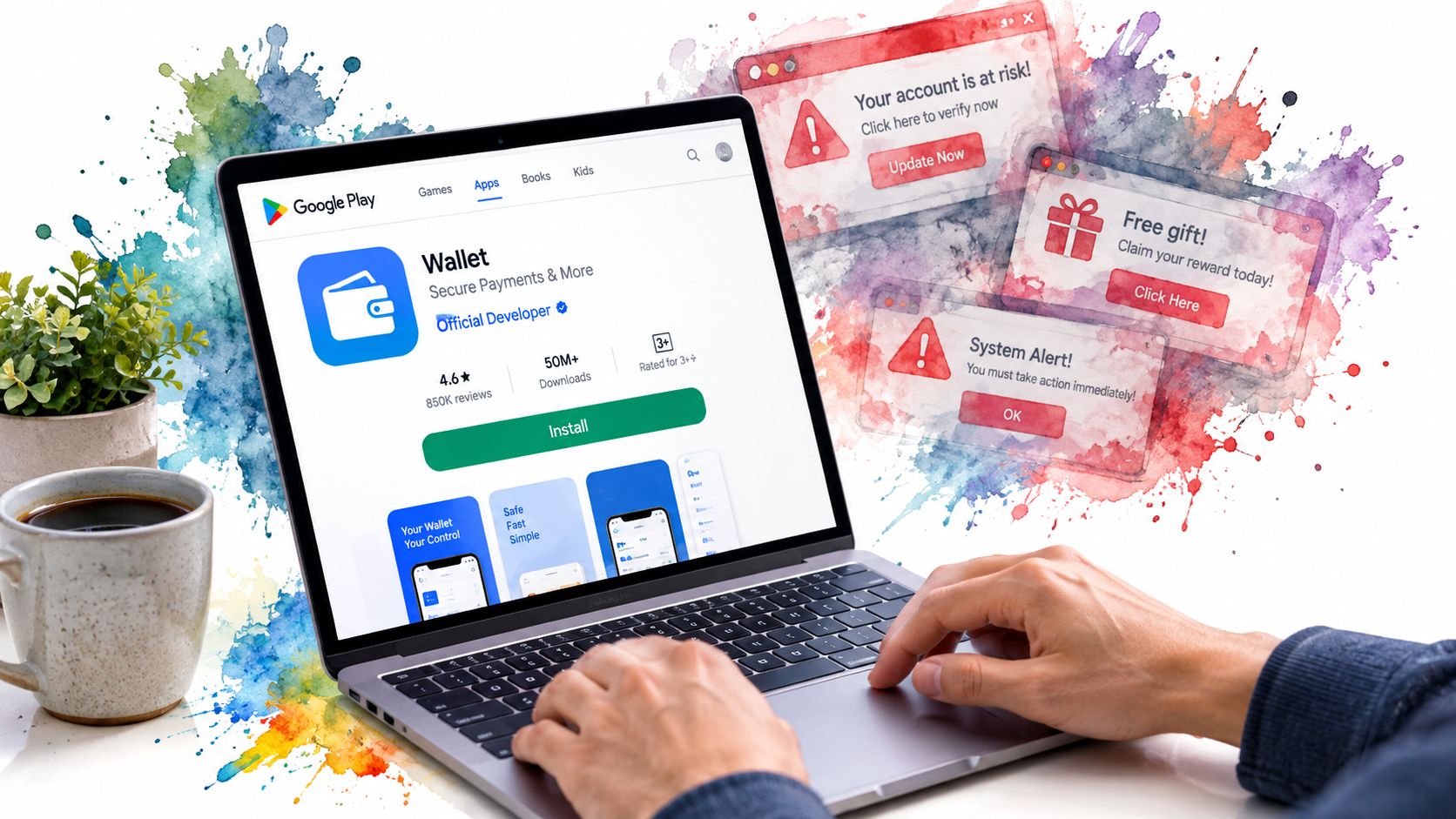
Don't install a wallet from a message, a forum attachment, an unsolicited QR code, or a pop-up claiming that your account needs urgent verification. Fake wallet pages often copy logos and layouts closely enough to fool a hurried user. A legitimate-looking interface doesn't prove that the software is legitimate.
A clean initialization sequence
- Install from a verified source. Use the official developer site or the verified listing in the relevant app store. Check the publisher name, application permissions, and the developer's own documentation before opening the wallet.
- Create a new wallet. Select the option to generate a wallet rather than importing a seed phrase supplied by an unknown person or website. An unknown phrase may already be controlled by someone else.
- Record the recovery phrase offline. Write each word in the displayed order on paper or a suitable physical backup. Don't save it in a text file, email, cloud drive, screenshot, or clipboard history.
- Set the device lock. Use a strong device PIN and enable biometric protection where appropriate. This protects the local application, although it doesn't replace the recovery phrase.
- Confirm the backup. If the wallet provides a restoration check, complete it. The point is to prove that the written phrase is complete and readable before the wallet holds meaningful value.
- Send a small test deposit. Copy the receiving address, verify its beginning and ending characters on the intended device, confirm the network, and send a small amount first. Check that the wallet displays the expected asset and balance.
A restore test catches a common failure: a user writes down an incomplete phrase, reverses two words, or records a word incorrectly, then discovers the error only after losing access to the original device. It also separates two questions that beginners often combine. The wallet may be installed correctly while the backup is unusable.
The first deposit should test the whole path, not just whether an address appears. Confirm the asset, chain, receiving address, and balance. A successful transaction on the wrong network isn't a successful setup.
If the wallet will connect to a browser, use a separate browser profile with minimal extensions. A malicious extension can inspect pages, alter addresses, or interfere with signing prompts. Keep the wallet software updated, but verify update notices through the official channel rather than trusting an in-app or email link that appears unexpectedly.
The following video can help reinforce the basic wallet setup workflow, but don't enter a recovery phrase into any site shown in a tutorial:
Securely Storing Your Seed Phrase
Your recovery phrase is the master backup for a non-custodial wallet. Anyone who obtains it may be able to restore the wallet on another device, while a phrase destroyed beyond recognition may leave you without a reliable recovery path.
Paper is practical for initial setup, but it has weaknesses. Water, fire, humidity, ink degradation, and accidental disposal can make a paper backup unreadable. For funds that matter, a metal backup made from steel or another durable material can provide stronger resistance to household damage.
Build a backup that survives ordinary failures
Store the phrase in a place that protects it from both environmental damage and unauthorized access. A locked home safe may work if it is properly secured. A safety deposit box or another controlled location can add resilience, provided you understand who can access it and how you would retrieve it.
Don't create convenience copies. The following storage methods turn a recovery phrase into a searchable or remotely accessible secret:
- Cloud storage: A compromised account can expose the phrase without anyone touching your wallet.
- Email or messaging apps: Messages and attachments may remain in backups, sent folders, or recipient devices.
- Screenshots and photos: Camera rolls and automatic photo backups can replicate the phrase without obvious signs.
- Password managers: Although useful for many credentials, storing a wallet recovery phrase in a digitally accessible vault creates a separate attack path.
Some users split a phrase across locations or use advanced backup schemes. Those methods can improve resilience when designed correctly, but they also create a risk of self-lockout. A complicated backup that nobody can reconstruct is no backup at all. Write down the exact recovery procedure separately from the secret itself, without revealing the words.
Practical rule: A legitimate wallet developer, exchange employee, mining-pool operator, or support agent will never need your recovery phrase.
Treat unexpected messages on Discord, Telegram, email, or social media as hostile until independently verified. Support scams often create urgency, promise to fix a synchronization problem, or ask you to “validate” the wallet by entering its phrase. Close the conversation and use the official support page you reached independently.
For a deeper explanation of offline key management, see this guide to a cold storage wallet. The operational principle is simple: keep the recovery material offline, physically protected, private, and recoverable by you.
Adding Cascoin and Connecting to Mining Pools
A wallet used for a specific network needs more than a visible address. It must be connected to the correct chain, display the intended asset, and synchronize far enough to show reliable transaction information. The official Cascoin site provides downloadable wallet software and documentation for people who want to use its open-source network and mining ecosystem.
Start by downloading the wallet only from the official project website. Install the version appropriate for your operating system, allow the blockchain to synchronize, and wait for the interface to show that it has caught up before treating a displayed balance as final. Synchronization matters because an unsynced wallet may show incomplete history or fail to reflect recent activity.
Add the asset and verify the chain
If the asset isn't already visible, use the wallet's asset or token management controls to add it. Don't copy a contract address from a random social-media post. Use the project's official documentation and confirm that the network selected in the wallet matches the network used by the sender or receiving service.
Before sending, compare:
- Network: The selected chain must match the destination chain.
- Asset: Confirm that you're sending the intended coin or token, not a similarly named asset.
- Address: Verify the complete address through a trusted display, not only a browser copy-and-paste flow.
- Explorer record: Check the transaction and wallet address through the Casplorer block explorer after broadcasting.
A wrong-network transfer can be irreversible. The address format may look plausible while the receiving wallet doesn't control the corresponding asset on that chain. A small test transfer reduces the amount exposed, but it doesn't remove the need to verify the network and asset every time.
The network supports multiple participation paths. Labyrinth Mining uses lightweight client software, MinotaurX is designed for CPU-friendly, lower-power participation, and SHA-256 is aimed at experienced ASIC operators. Select the method based on your equipment, electricity constraints, and technical comfort rather than assuming that a mining option is automatically profitable.
Connect to a pool without surrendering control
When configuring a public mining pool, enter the pool endpoint from official project documentation and check that the payout address belongs to the wallet you just verified. A pool should not need your recovery phrase or private key. It may need a public address, worker label, or configuration setting, but those are not equivalent to signing authority.
Don't confuse an account verification code with wallet recovery material. If you use a separate exchange or service, consult its official authentication process, including guidance on how to get Bitflyer verification codes, and never share a seed phrase as part of verification.
After setup, compare the wallet address shown in the mining configuration with the address displayed by the wallet and explorer. This simple check catches copied addresses, stale configuration files, and accidental use of a different wallet.
Post-Setup Safety and Managing Approvals
Writing down the recovery phrase doesn't finish wallet security. The next danger comes from what the wallet is allowed to do after you connect it to a decentralized application, token dashboard, marketplace, or mining-related service.
A dApp may ask you to sign a token approval. That approval can allow a smart contract to spend a token from your wallet, sometimes for an unlimited amount. The approval isn't the same as a normal transfer, so users who look only for an obvious “send” action can authorize more access than they intended.
Read the permission before signing
Before approving a request, identify the contract, token, amount, and network. If the interface doesn't explain the permission clearly, stop. A site that demands an unlimited approval for an action that could use a limited amount deserves scrutiny.
Use these habits after the wallet is live:
- Separate connection from funding: Connecting a wallet doesn't mean you should deposit all available funds into the dApp.
- Prefer limited approvals: Where the wallet or application allows it, approve only the amount needed for the intended action.
- Review existing permissions: Use a reputable approval-management tool or the relevant network explorer to inspect and revoke permissions you no longer need.
- Keep a low-value interaction wallet: Use it for unfamiliar dApps, experiments, and routine activity.
- Protect the savings wallet: Keep long-term holdings isolated from websites and contracts whenever possible.
The distinction between a transaction and an approval is operationally important. A transaction moves an asset now. An approval can create permission for later spending by a contract, which means a compromised or malicious application may remain dangerous after the original visit.
Wrong networks create quiet failure
Never assume that two addresses with similar formatting can receive the same asset. Before signing, check the selected chain in the wallet, the network named by the dApp, and the destination instructions. If a transfer involves a bridge, confirm the bridge's official domain and understand which asset will arrive on the other side.
A multi-wallet architecture makes these checks easier to reason about. A 2025 on-chain UX report found that 62% of participants relied on two or more wallets, according to Crypto.news' state of on-chain UX report. The practical lesson isn't to create wallets randomly. Assign each wallet a job and label it without recording sensitive information in the label.
One wallet can handle daily activity, another can hold savings, and a third can interact with higher-risk dApps. Use separate recovery backups, maintain an address inventory, and record which network each wallet supports. If an approval drains the interaction wallet, the savings wallet remains outside that permission boundary.
For additional operational guidance, review this resource on cryptocurrency wallet security. Recheck permissions periodically, test recovery while the wallet is empty or contains only a controlled amount, and treat every new connection as a fresh trust decision.
The project offers an open-source wallet, downloadable network software, public mining-pool access, and several mining paths, including lightweight Labyrinth Mining, CPU-friendly MinotaurX, and SHA-256 for ASIC operators. Visit Cascoin to download the official tools and verify the setup documentation before connecting a wallet or sending funds.