Mining Equipment Maintenance Guide for Crypto Rigs
You step into the mining room at 2 a.m. and the heat hits before the noise does. The thermometer reads 38°C, every fan is screaming, and one hashboard has already dropped offline. Nothing failed suddenly. Dust restricted the intake, a bearing had been complaining for days, and temperatures had been climbing one small step at a time.
That's the reality of mining equipment maintenance. The work isn't a weekend ritual built around blowing dust from a case. It's an operating practice with three jobs: prevent slow degradation, repair failures before they spread, and optimize the hardware that remains productive. The right routine depends on whether you're running an ASIC, a GPU rig, or a CPU miner, and it should also reflect the reward model behind your workload.
This guide focuses on the practical details, including cleaning and cooling, firmware and driver hygiene, monitoring thresholds, troubleshooting patterns, spare parts, and power discipline. It also considers the different demands of SHA-256, Cascoin Labyrinth Mining, and MinotaurX, because a high-draw ASIC and a low-power CPU rig shouldn't receive the same maintenance budget or attention.
Table of Contents
- Why Your Mining Rig Deserves More Attention Than It Gets
- What Mining Equipment Maintenance Really Costs You
- ASIC, GPU, and CPU Miners Need Different Care
- The Preventive Routine That Keeps Rigs Alive
- Monitoring, Alerts, and Firmware Hygiene
- Spares, Energy Efficiency, and the Cascoin Angle
- Troubleshooting Common Faults and a Final Maintenance Habit
Why Your Mining Rig Deserves More Attention Than It Gets
The miner who walks into that overheated room usually starts by restarting the worker. Sometimes the board returns. Sometimes it doesn't. The restart may hide the symptom, but it won't remove the blocked filter, failing fan, loose power connection, or dried thermal interface that caused the problem.
Mining equipment maintenance matters because heat, dust, vibration, and electrical load work together. A GPU may continue hashing while its memory cooling deteriorates. An ASIC may show an acceptable average hashrate while one board repeatedly rejects work. A CPU miner may appear stable until sustained load pushes it into thermal throttling. These failures often develop imperceptibly, then become expensive when the operator finally notices them.
Practical rule: Treat every unexplained temperature rise, fan-speed change, rejected share pattern, and hashrate dip as maintenance data, not background noise.
The economics of maintenance are especially serious in heavy industrial mining. A mining-maintenance benchmark reported that overhaul and maintenance represented 32% of total operating costs for wheel loaders, 50% for backhoe shovels, 59% for hydraulic front shovels, and 64% for cable shovels in the equipment studied, as documented by the mining maintenance research benchmark. A separate mining-maintenance source found that maintenance commonly accounts for 30% to 65% of a mining company's operating-cost budget, which shows why maintenance strategy affects economics rather than merely uptime.
Crypto rigs are smaller than mine-site shovels, but the operating logic is similar. A component that runs hot for months becomes a reliability liability. A missed warning can turn a cheap fan replacement into a board repair, a power-supply failure, or a prolonged period of lost rewards.
The rest of the work comes down to three decisions:
- Prevent the slow decay: Control dust, temperature, airflow, firmware drift, and connection quality before they create symptoms.
- Fix the failure correctly: Diagnose the pattern, isolate the affected component, and swap parts in a controlled order.
- Optimize what survives: Match voltage, fan curves, cooling capacity, and maintenance effort to the hardware class and reward model.
For SHA-256 ASICs, that usually means protecting expensive, concentrated hashrate. For Labyrinth Mining and MinotaurX workloads, consistent uptime on efficient CPU or mid-tier systems can matter more than forcing maximum power through aging hardware.
What Mining Equipment Maintenance Really Costs You
The largest maintenance bill isn't always a replacement part. It's the total cost of attention, inventory, tools, technician time, firmware management, and the production lost while a machine waits for diagnosis.
Industrial mining data makes the scale clear. One maintenance study found that maintenance represented 32% of operating costs for wheel loaders, 50% for backhoe shovels, 59% for hydraulic front shovels, and 64% for cable shovels in its equipment-cost analysis. Another source places maintenance at 30% to 65% of a typical mining company's operating-cost budget. Those figures don't transfer directly to a home rig, but they establish the central principle: maintenance is a controllable operating cost, not an occasional inconvenience.
A useful rig-level model has four buckets:
- Planned care: Cleaning, thermal-interface work, fan service, connection checks, and controlled testing.
- Parts and inventory: Replacement fans, risers, power supplies, thermal pads, control boards, cables, and storage media.
- Software control: Firmware, drivers, monitoring, configuration backups, and diagnostic tooling.
- Reactive work: Emergency swaps, repeated restarts, secondary damage, and rewards lost while the rig is offline.
The precise share will vary by fleet, environment, and hardware age. What doesn't change is the compounding effect of neglect. A single failed ASIC hashboard can remove a meaningful portion of the machine's productive capacity, while a GPU rig can lose stability because one riser, connector, or card behaves intermittently.

The practical response is to spend maintenance effort where failure has the highest consequence. An ASIC with concentrated hashrate deserves deeper thermal and electrical inspection than a lightly loaded CPU system. A modular GPU rig benefits from component-level spares and logs, because replacing one card or riser can restore most of the system without disturbing the rest.
For physical replacement and repair needs, operators can also evaluate specialist industrial resources such as buy American Additive for MRO, particularly when sourcing maintenance-related components requires more than a generic consumer retailer. The important point is not to buy everything in advance. It's to identify which failures stop production, which parts have long lead times, and which components can be replaced without specialist work.
A good maintenance budget buys predictability. It prevents a low-cost intervention, such as replacing a noisy fan or correcting airflow, from becoming an emergency repair performed after a board has already overheated.
ASIC, GPU, and CPU Miners Need Different Care
A miner's physical design tells you where to spend attention. ASICs concentrate compute, heat, and power delivery in a compact enclosure. GPU rigs spread risk across cards, risers, fans, memory modules, and a shared frame. CPU systems generate less specialized hardware stress, but they can remain vulnerable to poor case airflow, cooler seating, and ambient temperature.
| Priority Area | ASIC (SHA-256) | GPU Rig | CPU Rig | Cascoin Angle |
|---|---|---|---|---|
| Thermal control | Hashboard spreaders, intake path, fan curve | Core, junction, VRAM, pads, airflow | Cooler contact, heatsink fins, case pressure | Lower-power workloads still need stable temperatures |
| Electrical checks | PSU output, connectors, ripple symptoms | Risers, PCIe leads, card connectors | VRM cooling and board stability | Match effort to uptime and reward consistency |
| Software care | Control-board firmware and miner configuration | Driver version, per-card logs, undervolt settings | Client version, BIOS and power settings | Keep configurations reproducible across the chosen path |
| Failure impact | One board can remove concentrated hashrate | One component can destabilize the rig | Throttling can reduce sustained output quietly | Avoid overbuilding maintenance for light workloads |
ASIC discipline
A SHA-256 ASIC needs a strict thermal routine. Inspect each hashboard for uneven temperature behavior, check whether fans reach their expected speed, and examine power connectors for discoloration or heat damage. Firmware changes can affect stability and performance, so save the working configuration before flashing and verify the image through the manufacturer's release process.
ASICs punish delayed maintenance because their failure modes are concentrated. A single board rejection may come from a board fault, but it can also point to PSU instability, a poor connector, a fan problem, or inadequate heat transfer.
GPU granularity
GPU rigs require a card-by-card mindset. Log driver behavior by card, inspect risers and PCIe connections, and treat thermal pads as consumable interface material rather than permanent hardware. One defective riser can create crashes that look like a driver problem, while one degraded memory pad can produce instability only after the rig has been warm for several hours.
CPU simplicity with a catch
CPU rigs usually have fewer specialized failure points. That doesn't mean they can be ignored. Dust-packed heatsink fins, a poorly seated cooler, or a case fan that has slowed down can push the processor into sustained throttling without creating an obvious hardware alarm.
Labyrinth Mining is designed around a lightweight, gamified mining model, while MinotaurX provides a CPU-friendly path for lower-power participation. That shifts the maintenance calculation. A clean, cool CPU rig that stays online can be more suitable than a louder system pushed beyond its thermal comfort. SHA-256, by contrast, is aimed at experienced ASIC operators whose maintenance decisions center on concentrated hashrate and power delivery.
The Preventive Routine That Keeps Rigs Alive
A reliable routine follows the machine's physical needs rather than an arbitrary checklist. Start with dust and airflow, then move toward thermal interfaces, fans, software, and controlled load testing. If you replace thermal material before cleaning the surrounding intake path, the new compound is working inside the same contaminated system.
Weekly inspection
Begin with the room and the air path. Check intake filters, exhaust clearance, cable routing, visible dust, fan noise, and any change in the sound of the rig. Use compressed air carefully, hold fan blades in place during cleaning, and avoid driving debris deeper into a heatsink or control board.
Inspect power connectors while the system is shut down and isolated. Look for looseness, discoloration, melted insulation, or a connector that feels warmer than its neighbors. Record the observation instead of relying on memory. A short log makes a gradual change visible.
For systems affected by room layout or recirculated hot air, the Cascoin cooling efficiency guide provides a useful framework for measuring the entire cooling path, not just the fan mounted on the miner.
Monthly reconciliation
Once a month, record fan RPM, temperatures, hashrate, rejected shares, and power behavior under a repeatable workload. Compare those readings with the rig's own baseline, not with a number copied from another model. Reconcile GPU drivers, miner versions, operating-system changes, and configuration files. If one card behaves differently, isolate it before updating the entire fleet.
Fan replacement should follow evidence. A fan that rattles, stalls, runs below its normal speed, or requires an aggressive curve to maintain ordinary temperatures is already a maintenance item. Waiting for a complete stop adds heat and may create a second failure.
Quarterly controlled work
Use a planned shutdown for deeper service. Clean ASIC hashboard cooling paths, inspect thermal contact, repaste only when the interface has degraded or the manufacturer's service procedure supports it, and reseat GPU thermal pads with the correct thickness and compression. Vacuum CPU heatsink fins with care, then verify cooler seating and fan orientation.
Before a firmware flash, confirm the model, preserve the current configuration, verify the vendor's signed release notes, and stage the update on one test unit. Afterward, compare hashrate, temperature, fan behavior, and stability against the pre-maintenance record.
Maintenance habit: Never call a service successful until the rig has completed a documented load test and its readings match the expected baseline.
Monitoring, Alerts, and Firmware Hygiene
A monitoring system becomes useful only after you decide what deserves an alert. Set thresholds while the rig is healthy, then tune them from observed behavior. Alerts should trigger an action, such as pausing a worker, saving diagnostics, reducing load, or sending a technician to inspect the machine.
For ASICs, the verified maintenance data supports a practical starting point of a hasrate drop greater than 8% over fifteen minutes, intake air above 45°C, and fan-speed deviation beyond 12% of baseline as alert conditions. GPU operators can use a core-junction warning at 95°C and a VRAM-junction warning at 105°C as the specified operating thresholds in this maintenance plan. CPU miners should watch package-power deviation and sustained-load temperature drift, then establish warning and shutdown points from the processor and cooler's documented limits.
| Rig type | Key metrics | Warning threshold | Critical threshold |
|---|---|---|---|
| ASIC | Hashrate, intake temperature, fan RPM | Hashrate decline above 8% over fifteen minutes, intake above 45°C, fan deviation above 12% | Confirmed board rejection, runaway temperature, or unsafe power behavior |
| GPU rig | Core junction, VRAM junction, per-card hashrate | Core junction at 95°C, VRAM junction at 105°C | Thermal shutdown, artifacting, repeated driver reset, or zero fan RPM |
| CPU rig | Package power, sustained temperature, effective hashrate | Drift from the healthy baseline under steady load | Repeated thermal throttling, system reset, or VRM instability |
A single console is easier to operate than several disconnected dashboards. Configure the Cascoin mining client workflow, or the equivalent software stack for your miner, to preserve diagnostics and configuration snapshots when a worker pauses. The Cascoin mining operating system material can help operators think about the software layer as part of equipment management rather than as a separate concern.
Firmware hygiene deserves the same discipline as physical service. Subscribe to vendor advisories, verify each image before installation, test one representative unit, and document the result. Don't flash every machine merely because a new version exists. Update when the release addresses a failure you have, improves compatibility with your reward path, or resolves a security or stability concern.
Keep a flash record with the machine identifier, previous version, new version, configuration backup, operator, result, and rollback decision. That record turns a mysterious post-update failure into a recoverable change.
Spares, Energy Efficiency, and the Cascoin Angle
Your spare-parts shelf should reflect how much downtime you can tolerate. A solo operator with one rig doesn't need a warehouse, but running with no replacement fan, no known-good cable, and no compatible storage device makes every small failure a sourcing problem.
Keep the parts that fail often and the parts that diagnose quickly. Fans, risers, thermal-interface material, PCIe leads, storage media, and a tested power supply are practical starting points for small operations. ASIC operators should identify compatible control boards and hashboard service options before a failure occurs. GPU operators should label each card, riser, and power lead so a swap doesn't create a second fault.
Power efficiency starts with stable cooling. A rig that runs cooler needs less aggressive fan behavior, and a fan that doesn't fight blocked airflow reduces unnecessary auxiliary load. Undervolting can help GPU operators, but only when the setting is validated under sustained work. An unstable undervolt isn't efficiency. It's a delayed crash.
Air management also matters. Separate hot exhaust from intake air, keep filters serviceable, and measure wall draw rather than trusting software estimates. Cascoin's power supply requirements guidance is relevant here because actual wall consumption, connector capacity, and PSU headroom belong in the same maintenance decision.
When hardware reaches the end of its useful life, retire it safely instead of leaving damaged boards in a corner. Operators handling obsolete or non-repairable units can review options for secure crypto hardware recycling to reduce data, electrical, and disposal risks.
Cascoin offers three distinct paths that change how you value maintenance. Labyrinth Mining emphasizes lightweight, efficient participation, MinotaurX is suited to CPU-friendly, lower-power operation, and SHA-256 is intended for ASIC operators focused on raw hashing. The maintenance effort should follow that model. Protect steady CPU uptime with airflow and cooler care, tune efficient GPU systems without chasing unstable settings, and give ASIC hashboards and power systems the deepest inspection.
For operators evaluating the underlying software workflow, this video can provide additional operational context:
Troubleshooting Common Faults and a Final Maintenance Habit
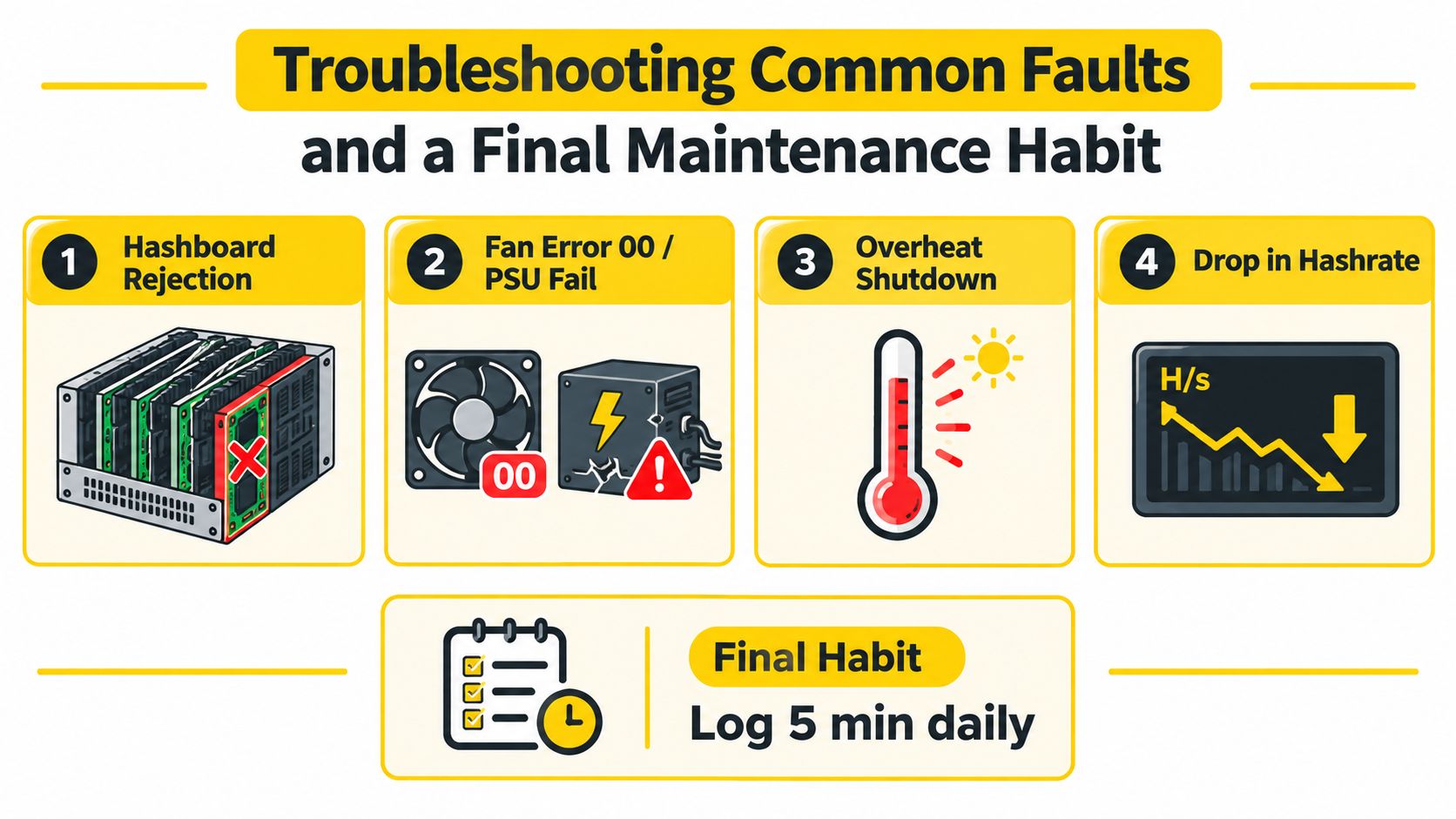
Troubleshooting works better as pattern recognition than as a list of every possible error code. Start by asking what changed, isolate one variable, and swap only the part that the evidence points toward. Reinstalling drivers, changing firmware, and moving power cables all at once may restore a rig, but it destroys the diagnostic trail.
Hashboard rejection
On an ASIC, record the rejected board, chain behavior, temperature history, and power symptoms first. Inspect the connector and PSU path, then test with a known-good cable or power source where safe. If the same board fails after controlled cleaning, thermal inspection, and a verified configuration, move toward board-level service or retirement rather than repeated reboots.
PSU ripple and poor thermal contact can produce similar symptoms, so don't assume a rejection code identifies the failed component by itself. Electrical work beyond your competence belongs with a qualified technician. A resource on electrical troubleshooting can help frame when a circuit or supply problem requires professional attention.
GPU crashes and artifacts
A driver timeout that follows one card points first to that card, its riser, its power lead, or its thermal condition. Swap the riser before replacing the GPU, then test the card in a known-good position. Artifacting after thermal cycling is a stronger reason to inspect VRAM cooling and board condition than to keep changing driver versions.
A fan reading zero deserves immediate attention. Check the fan connector and PWM header, confirm whether the blade is physically blocked, and compare behavior with a known-good fan. Retire the component when the fault follows it through controlled swaps or when repair would cost more time and risk than replacement.
CPU throttling and stale shares
A CPU miner can remain online while producing less effective work. Watch sustained temperature, package power, clock behavior, and board VRM temperature where sensors are available. Reseat the cooler, clean the fins, confirm fan direction, and return aggressive power settings to a known-stable profile before blaming the mining client.
Stale shares may follow throttling, unstable network conditions, or a worker that is technically connected but no longer processing efficiently. Capture logs at the moment of the fault, then compare them with the system's thermal and power record.
The five-minute log
A durable operation records small changes before they become failures. Keep a daily entry for effective hashrate, temperatures, fan behavior, rejected or stale shares, power observations, and anything unusual in sound or smell.
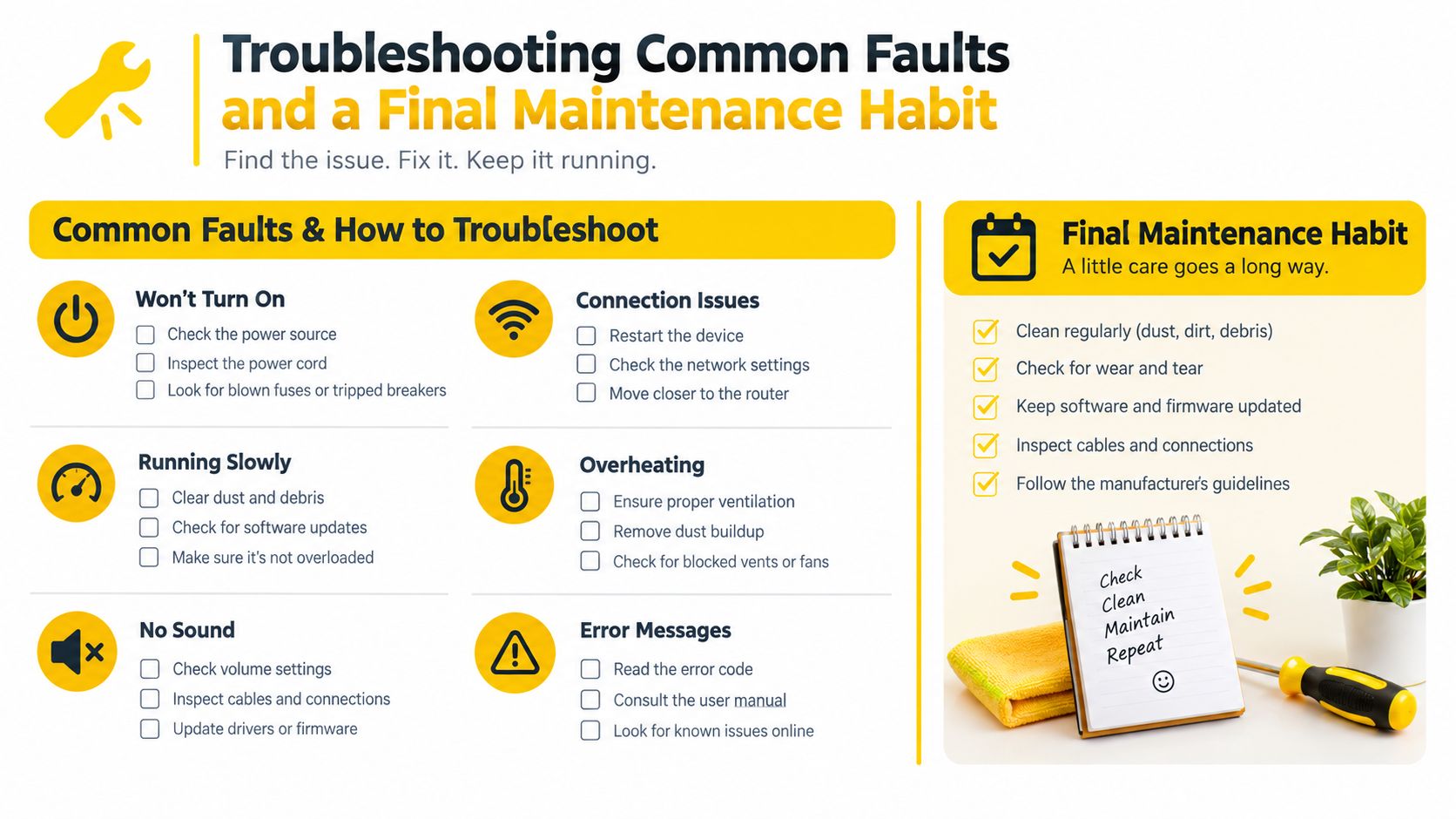
Use this compact checklist:
- Daily: Confirm workers are active, review temperatures and hashrate, and note unusual fan or electrical behavior.
- Weekly: Clean intake paths, inspect connectors, check fan noise, and review the room's airflow.
- Monthly: Reconcile drivers and configurations, record fan RPM, inspect per-component performance, and test alerts.
- Quarterly: Perform controlled thermal and physical service, validate firmware, load-test the rig, and document the result.
Log every fault, every swap, and every firmware flash. Rigs that get diagnosed get durable.
Cascoin gives miners a choice between Labyrinth Mining, MinotaurX, and SHA-256, so you can match your hardware and maintenance discipline to the workload you want to run. Review the maintenance resources and explore the available mining paths at Cascoin, then put your chosen rig on a documented cleaning, monitoring, and troubleshooting routine before the next heatwave.