Crypto Mining Without GPU: What Actually Works in 2026

A CPU can mine crypto on algorithms designed for general-purpose processors, such as RandomX or MinotaurX, but it can't compete on Bitcoin SHA-256, and most setups stop paying above about $0.10 to $0.12 per kWh. The useful question isn't which coin your computer can mine, but whether its payouts cover the electricity you buy.
Most advice about crypto mining without a GPU starts with a coin list and ends with a download button. That's backward. Before installing anything, measure the machine's power consumption, check your electricity tariff, and decide what would make the experiment worth continuing.
A spare computer isn't free mining hardware just because you've already bought it. You're still paying for sustained load, cooling, wear, and the inconvenience of tying up a machine.
Table of Contents
- Which Non-GPU Mining Option Fits Your Hardware
- Break-Even Math for CPU Mining at Your Electricity Rate
- How to Pick a Coin You Can Mine on a CPU
- How to Set Up a CPU Miner, Wallet and Pool
- Cutting Power Use and Keeping Your Machine Safe
- Is Low-Power Mining Actually Greener
- Decide Whether CPU Mining Is Worth Starting
Which Non-GPU Mining Option Fits Your Hardware
A spare desktop CPU suits small-scale experiments on algorithms designed for processors. An ASIC suits SHA-256 mining, while phones and cloud contracts bring different limits that are easy to miss if you compare them only by advertised rewards.
Non-GPU mining options compared
| Option | Hardware fit | Why it may or may not fit |
|---|---|---|
| Bitcoin SHA-256 on a CPU | Any desktop CPU | Useful for learning mining software, but cannot compete with dedicated SHA-256 hardware. |
| Monero RandomX on a CPU | Multi-core desktop or laptop | Designed for CPU participation. A spare machine is a practical test platform; returns still depend on operating costs. |
| Cascoin MinotaurX on a CPU | Compatible modern CPU | Suits testing a smaller CPU-oriented network. Check current network conditions and coin price before committing hardware. |
| Labyrinth Mining client | PC able to run the client | Could suit a low-power PC experiment. Confirm actual power use and rewards rather than relying on the project's description. |
| Mobile mining app | Smartphone | Suits curiosity, not an assumed income stream. Check whether displayed rewards can be withdrawn and under what terms. |
| Cloud mining contract | No local mining hardware required | Suits buyers who can assess provider, contract, and withdrawal risks. A Bitcoin-denominated payout does not prove your CPU mined Bitcoin. |
| ASIC on SHA-256 | Dedicated mining hardware | Suits operators prepared to run purpose-built equipment. It is the relevant hardware category for competitive SHA-256 mining, but profit is not assured. |
Pool mining is a payout arrangement, not a hardware option. A pool can be used with compatible CPU setups, combining miners' work and sharing rewards rather than relying on one miner to find a block. It does not change which hardware can run an algorithm.
Why the Bitcoin row fails
Bitcoin mining started on ordinary processors. GPU mining followed, then ASICs changed the hardware requirements. The history of CPU mining and specialized hardware describes that shift. The practical takeaway is simple: installing SHA-256 software on a desktop does not make its CPU competitive with purpose-built machines.
A spare laptop can serve for a reversible CPU-mining test, provided you use conservative load settings. Keep its role as a portable computer in mind. Sustained mining may make it less useful for everyday work.
A gaming PC can test CPU-only mining with its graphics card idle. Measure the entire machine at the wall, including the power draw of the system while the GPU is not mining. That gives you a useful hardware comparison before considering whether the setup's returns justify its electricity use.
Match the algorithm to the processor, and the experiment to the machine you can afford to keep running.
Break-Even Math for CPU Mining at Your Electricity Rate
Monthly electricity cost for CPU mining at continuous load
The following is illustrative arithmetic, not measured hardware performance. It assumes the stated draw stays constant throughout a 30-day month.
| Electricity rate per kWh | 65 W load, continuously | 150 W desktop, continuously | What it means |
|---|---|---|---|
| $0.05 | $2.34 | $5.40 | Lower electricity hurdle, not assured profit |
| $0.10 | $4.68 | $10.80 | Payouts must exceed these costs |
| $0.12 | $5.62 | $12.96 | Less room for fees and other expenses |
| $0.15 | $7.02 | $16.20 | A higher hurdle before any net return |
These figures follow directly from the stated assumptions. A CPU power rating isn't necessarily the computer's wall draw, so don't treat the lower column as a complete desktop electricity budget.
The repeatable formula is:
Electricity cost = measured watts ÷ watts per kilowatt × operating hours × electricity rate.
For the illustrative desktop at the middle tariff, convert its load to kilowatts, multiply by its operating time, and multiply again by the price of electricity. Subtract that result from the pool proceeds attributable to the same period.
The Paybis mining profitability guide reports that margins become thin above $0.10 per kWh and that most setups lose money above $0.12 per kWh. Treat those as warning thresholds, not universal break-even rates.
Calculate your own exit price
Use this fuller expression:
Net result = coins earned × realizable coin price − electricity − pool fees − other operating costs.
If the pool reports rewards after its fee, don't subtract the fee again. Include withdrawal or trading costs when they're relevant, and distinguish an accrued pool balance from money you can withdraw.
Model a favorable price, your expected price, and a pessimistic price. Keep hardware settings fixed so you can see how much of the outcome depends on speculation rather than mining efficiency.
Break-even coin price = total attributable costs ÷ net coins earned.
That equation uses your observed coin output, which already reflects the difficulty and reward conditions during the measurement period. Recalculate if those conditions change.
For a laptop that would already be running, measure idle consumption and then consumption under sustained mining load. The difference is the incremental electricity burden. If you'd otherwise switch it off, charge the experiment for its entire consumption instead.
Use the mining power-consumption guide to organize that measurement. This is a break-even exercise, not an income promise.
How to Pick a Coin You Can Mine on a CPU
| Criterion | Good sign | Red flag |
|---|---|---|
| Algorithm | Designed for general-purpose processors or low-power participation | Your selected mining route requires specialized hardware |
| Active pools | Independent pools publishing recent activity | No verifiable pool activity |
| Difficulty trend | Conditions compatible with your measured output | Rising difficulty without corresponding reward value |
| Code transparency | Public repository, readable license, and recent maintenance | Unavailable code or unexplained downloads |
| Exchange listing | A usable venue with executable orders | Rewards have no practical route to sale |
| Block explorer | Public transactions and blocks you can inspect | Screenshots presented instead of verifiable records |
| Team and community | Identifiable maintenance work and open discussion | Promises without visible development |
Start with the algorithm, not the coin's branding. A project can offer several mining routes, and the existence of a CPU option doesn't make its specialized-hardware route suitable for your processor.
Monero is a useful baseline because ordinary CPUs remain viable on the network, as noted in the profitability discussion. For a smaller project, require more investigation before interpreting a wallet balance as an economic result.
Check the implementation and the people maintaining it
The publisher's project offers Labyrinth Mining, MinotaurX, and SHA-256 as distinct routes. Its public Codeberg and GitHub repositories, MIT license, and Casplorer explorer provide things a prospective participant can inspect rather than merely accept.
Check the current release against the repository, read recent commits, and look for discussion of unresolved problems. A solo-maintained project also deserves a concentration-risk check: consider how dependent updates, documentation, and infrastructure are on the maintainer's availability.
Don't confuse accessibility with environmental proof. Bitcoin-sector energy reporting describes improving hardware efficiency alongside substantial network consumption, illustrating why lower device wattage doesn't establish lower overall environmental impact.
A pool dashboard also needs interpretation. Accepted shares show that the pool recognizes your work, but don't establish that rewards will cover costs or arrive before a payout threshold becomes impractical.
Reject promises you can't verify
- Guaranteed returns: A fixed-profit promise doesn't remove changing difficulty, prices, or costs.
- Recruitment-dependent rewards: Separate referral incentives from actual mining proceeds.
- Missing explorer: Don't substitute promotional screenshots for on-chain verification.
- Deposit requests: Investigate why a supposed mining pool needs you to transfer funds before participating.
- Unusable liquidity: Check whether you can sell your expected reward through an account available in your jurisdiction.
For a small coin, inspect executable orders rather than relying on a displayed price. Mineable doesn't necessarily mean sellable, and a theoretical profit is little comfort if you can't realize it.
How to Set Up a CPU Miner, Wallet and Pool
Use a machine you already own, and treat the initial setup as a controlled test rather than a deployment to leave unattended. The exact screens and configuration fields depend on the current wallet, miner, and pool releases.
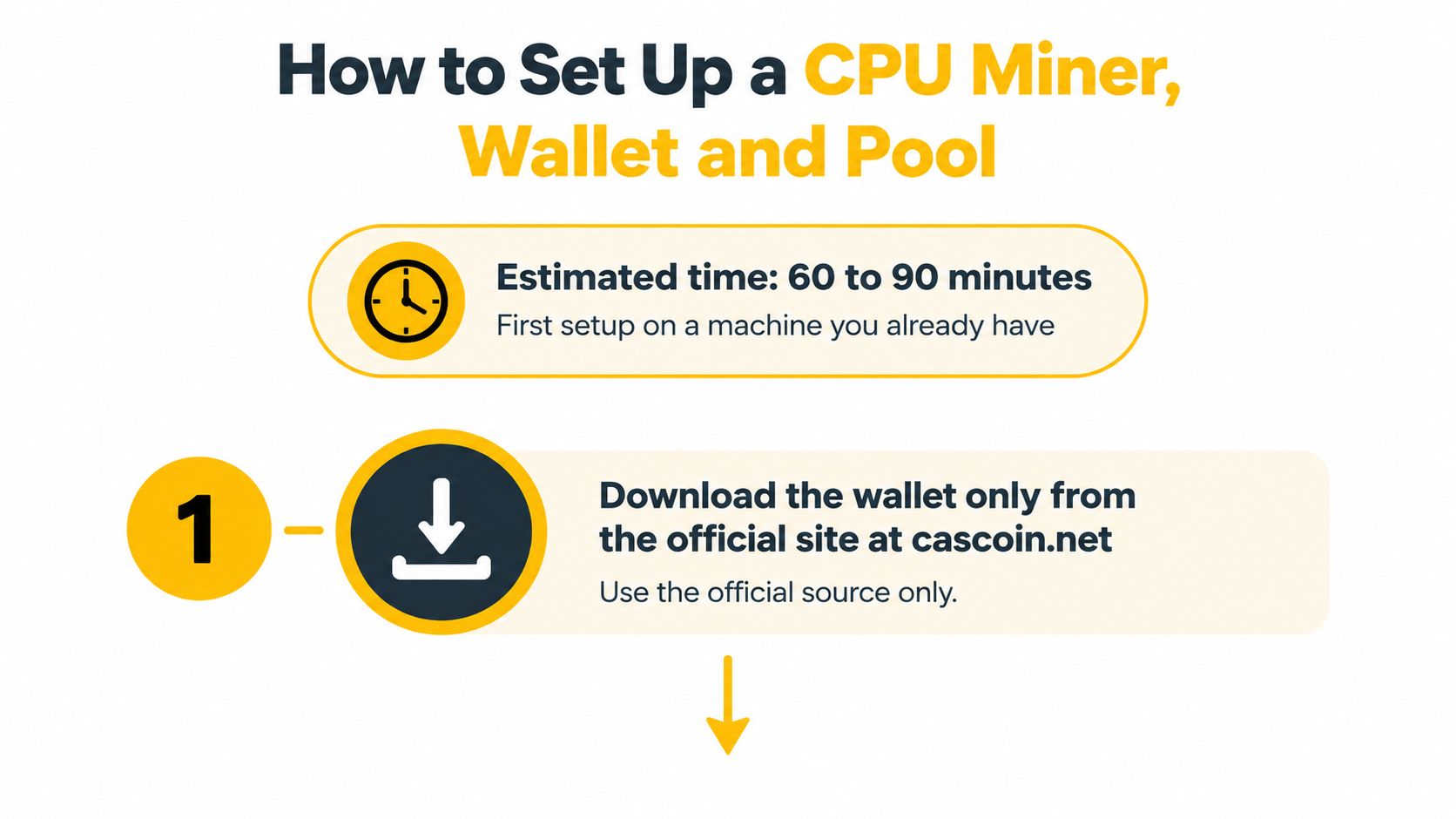
Use the setup visual as a reminder to establish the download source before configuring payouts.
Establish the wallet and software
Find the official wallet release. Navigate from the project's official site, not a sponsored download result or a message from a stranger. If the release publishes a checksum, compare it with your downloaded file before opening it.
Create and back up the wallet. Follow that wallet's documented backup procedure, which may use a recovery phrase, a wallet file, or another supported method. Store the backup offline and test recovery safely before relying on it.
Obtain the miner from its maintained repository. Confirm the operating-system version and review the release instructions before execution. Don't treat a forum attachment or a private-message download as equivalent to the official release.
Match the mining route to your hardware. Use the lightweight client for its documented workflow, or a compatible CPU miner for MinotaurX. Don't choose SHA-256 on a CPU merely because it appears in the project's available options.
Enter a receiving address and worker identifier. Copy the payout address from your wallet and check it again after pasting. A miner needs your public payout address, never your recovery phrase or private keys.
Configure and verify the pool connection
Read the pool's operating terms. Record its fee, payout minimum, payout schedule, and required connection settings. Choosing a threshold you can't reasonably reach can leave a small balance stranded.
Start with a conservative thread allocation. Leave processing headroom for the operating system and your normal applications. Launching at maximum load makes it harder to distinguish configuration problems from heat or resource pressure.
Verify accepted work in both places. Check the miner's output and the pool dashboard rather than trusting a moving hashrate counter. Confirm that the worker identifier is yours and that the session isn't repeatedly reconnecting.
Verify the payout on-chain. Once the pool reports a payment, inspect its transaction in Casplorer and compare the destination with your wallet. A pool balance and a completed wallet payment aren't interchangeable.
Troubleshoot before increasing load
If shares are rejected, confirm that the miner's algorithm matches the pool endpoint and review the rejection message. Increasing threads won't repair an algorithm mismatch or an incorrect connection setting.
If the miner crashes, reduce the workload and repeat the stability check before changing anything else. Keep a record of the working configuration so you can reverse an unsuccessful adjustment.
If a reported payout doesn't appear, compare the pool's destination address with the address you configured. Then inspect the transaction status rather than repeatedly recreating the wallet.
A successful initial session means accepted shares, stable temperatures, and no recurring error loop. Only after those conditions hold should you evaluate rewards.
Cutting Power Use and Keeping Your Machine Safe
Optimize accepted work per unit of electricity, not the largest hashrate displayed on screen. A setting that increases reported speed but produces crashes, rejected work, or disruptive heat isn't an improvement.
Start with thread count. Compare a conservative setting with a heavier one while keeping the pool, algorithm, and observation conditions consistent. Record wall consumption and accepted work together so you don't mistake extra electricity for useful performance.
Tune load before changing voltage
Try a balanced power profile before assuming maximum-performance mode is necessary. Watch whether the computer sustains its workload comfortably, and consult its manufacturer's temperature and operating limits rather than applying a universal laptop or desktop cutoff.
Undervolting belongs later, if your hardware supports it and you're comfortable testing stability. A setting that boots successfully hasn't necessarily passed a sustained mining workload.
Use the CPU performance optimization guide as a checklist, but make each change separately. Otherwise, you won't know which adjustment helped or caused instability.
Practical rule: Keep the quieter, lower-power setting when the extra load doesn't produce enough additional usable reward to justify it.
Keep ventilation clear and avoid operating a laptop on a surface that blocks its cooling path. Don't let a small mining balance justify damage to a computer you need for work.
Check for unwanted mining
You should be able to explain every miner running on the machine. Use this quick inspection whenever the computer behaves unexpectedly:
- Open the process monitor: Use Task Manager on Windows or Activity Monitor on macOS and sort by CPU use.
- Identify the executable: Check its name, location, and relationship to software you intentionally installed.
- Stop your own miner: Confirm that utilization falls when you end the experiment.
- Investigate unfamiliar activity: Persistent load deserves inspection rather than an assumption that it's normal mining behavior.
Unexpected fan activity, battery drain, sluggishness, and unfamiliar processes are reasons to investigate, not proof of a particular infection. Remove unauthorized software and keep the operating system and security tools updated.
If security software flags a miner, verify its origin and investigate the detection. A matching published checksum helps establish which file you downloaded; it doesn't prove that the software is harmless.
Don't switch protection off to make an unexplained warning disappear. Never run miners on workplace or shared equipment without explicit permission.
Is Low-Power Mining Actually Greener
CPU mining can use less power and still deliver less useful work for each unit of electricity. The practical comparison is accepted work per kWh, measured on the same algorithm, plus the carbon intensity of the power and whether mining heat replaces other heating.

Cambridge's discussion of Bitcoin electricity consumption provides context for the network's electricity use. For your own setup, compare measured energy use and accepted work, rather than treating a lower-wattage device as proof of a lower environmental impact.
Compare realistic alternatives
Consider a laptop drawing an additional 50 watts while mining and a dedicated rig drawing 200 watts, as an illustrative comparison, not a benchmark. Over one hour, those loads use 0.05 kWh and 0.2 kWh respectively. If the laptop produces fewer than one quarter of the rig's accepted work in that hour, it delivers less accepted work per kWh. Measure at the wall and compare only the same algorithm under comparable conditions. Raw hashrates across different algorithms are not directly comparable.
The grid changes the emissions side of that comparison. Look up the electricity emissions factor for your region from a local utility or government source, then multiply it by the miner's measured kWh. A clean grid gives that energy use a lower emissions estimate than a carbon-intensive grid. Use the same unit and boundary for both devices.
Count a dedicated rig's full electricity use, including extra cooling. For an already-running laptop, measure the difference between its normal idle draw and its draw while mining. Credit winter heat only if it actually lets you turn down a separate heating system. In warmer months, or when the heat is not useful, count the miner's electricity without that offset.
The cryptocurrency environmental-impact guide offers further context for assessing these trade-offs. Hardware access or network decentralization alone does not establish that mining reduces overall energy use or emissions. Compare what your machine consumes, what accepted work it supplies, and the electricity source before calling it greener.
Decide Whether CPU Mining Is Worth Starting
Test existing hardware if your costs look plausible; skip new purchases until measured proceeds justify them. If your tariff is above the earlier warning range and the machine would otherwise be off, the burden of proof should be especially high.
Buying the coin is an alternative worth comparing, not an automatic recommendation. It avoids mining's operating workload but leaves you exposed to the asset's price risk.
Keep a two-week experiment reversible
Record consumption and mining activity daily, then use these checkpoints to compare progress. Enter measured values, not estimates copied from a profitability calculator.
| Day | kWh from plug meter | Accepted shares | Payout in coin | Coin price at payout | Electricity cost |
|---|---|---|---|---|---|
| Day 1 | Record reading | Record count | Record amount | Record realizable price | Calculate from tariff |
| Day 7 | Record reading | Record count | Record amount | Record realizable price | Calculate from tariff |
| Day 14 | Record reading | Record count | Record amount | Record realizable price | Calculate from tariff |
Keep unpaid pool balances separate from received payouts. Also note configuration changes, downtime, and fees so the final result doesn't hide the cost of keeping the experiment running.
Set the stop rule before you become attached to the balance on the dashboard.
At the end, compare realized proceeds with your actual electricity cost and the earlier break-even table. If the net result is negative, pause and review rather than buying more hardware to compensate.
Crypto prices are volatile. This test measures electricity, time, and payouts, not promised investment returns.
Cascoin offers a lightweight Labyrinth Mining client, a CPU-friendly MinotaurX route, and public tools for checking the software and on-chain activity. Visit the official site to review the wallet, documentation, and pool, then test a spare machine against your own electricity bill before committing more resources.