Open Source Contributions for Beginners: A Simple Start
You've found a project you use, opened its repository, and clicked into the issues. One looks promising, but the discussion assumes you know the codebase already. Another has a “good first issue” label, yet nobody has explained what a finished fix should look like. You close the tab, telling yourself you'll come back when you're more experienced.
That hesitation doesn't mean you're unsuited to contributing. It often means the project hasn't made its first steps clear. Open source contributions for beginners get easier when you know how to judge a task, talk with maintainers, and make a small, useful change without treating a merged pull request as the only measure of progress.
Table of Contents
- Why Contributing to Open Source Feels Harder Than It Should
- Setting Up Git Fork and Clone the Right Way
- How to Judge If an Issue Is Actually Beginner-Ready
- Starting with a Comment Not a Commit
- Building the Smallest Useful Change
- Opening the Pull Request and Surviving Review
- Take Your First Step With Cascoin
Why Contributing to Open Source Feels Harder Than It Should
A first-time contributor might browse a project such as Cascoin on Codeberg or GitHub, open several issues, and leave without touching the code. The issue tracker is busy, the project's architecture is unfamiliar, and the person maintaining it may be working alone. Even when a task sounds simple, the contributor can't tell whether it means changing one sentence or understanding half the system.
That's a real onboarding problem, not a personal shortcoming. GitHub reported that 1.4 million developers made their first open-source contribution between October 1, 2023, and September 30, 2024, within a much larger ecosystem of nearly 1 billion contributions to open-source and public repositories during that period (GitHub's Octoverse report). First-time contributors are already part of open source at scale. The challenge is helping interested people find a sensible way in.
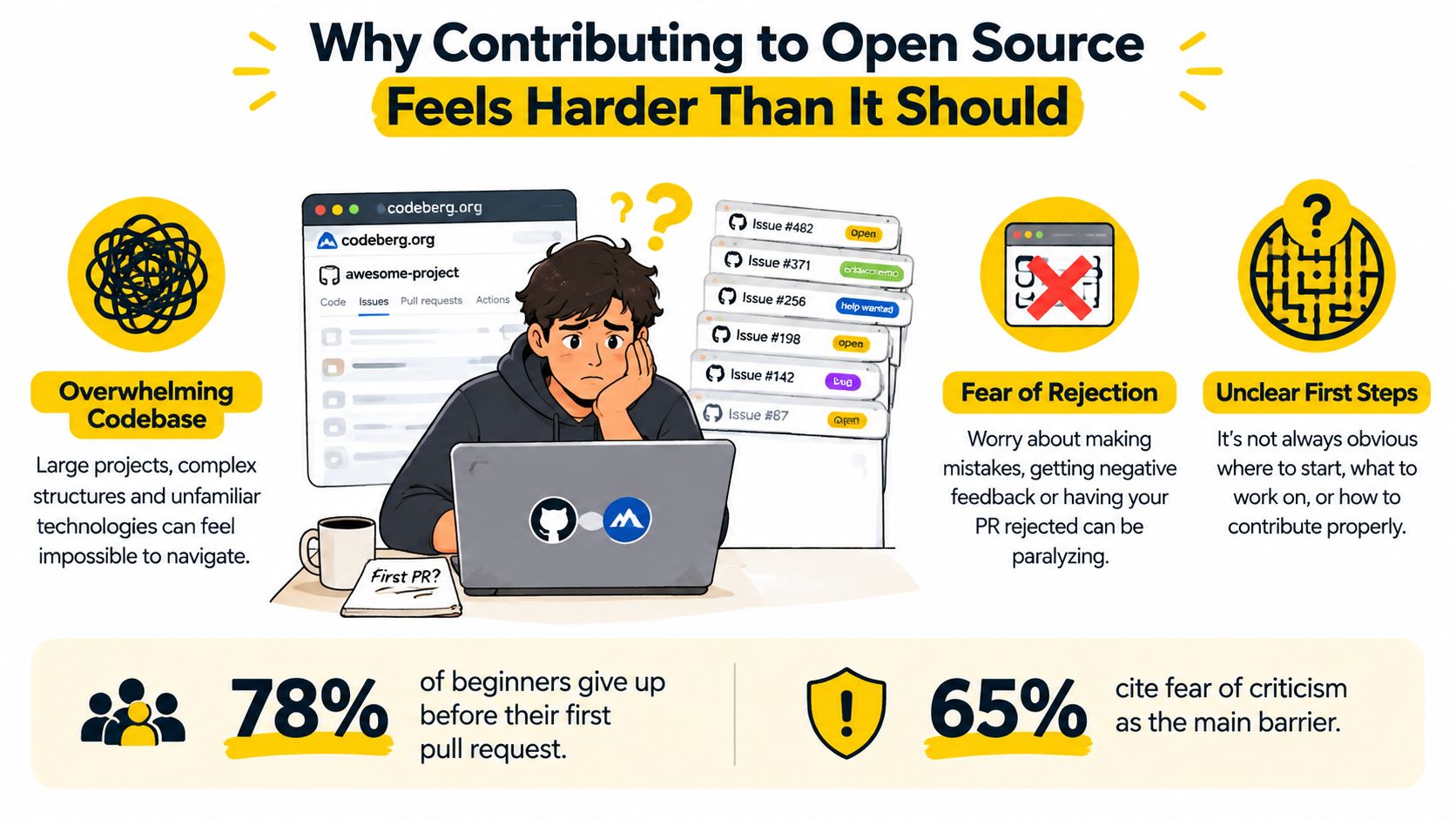
A “good first issue” label can point you toward an opportunity, but it can't tell you whether the repository builds on your machine, whether the task is still wanted, or whether anyone has time to review a pull request. In a longitudinal analysis of 3,300 good-first-issue issues, newcomers addressed only about 27%, with no significant improvement over four years (analysis of good-first-issue practices). The label helps with discovery. It doesn't replace clear instructions, responsive communication, or a bounded task.
A better starting point is to look beyond code. Documentation corrections, testing, translations, issue triage, and design feedback can all help a project. If you're exploring browser testing or automation as a possible contribution area, this guide to finding the right automation tool can help you understand the kinds of tools projects may use. The aim isn't to prove yourself with a major change. It's to find a task with a clear purpose and a project that can support the work.
Setting Up Git Fork and Clone the Right Way
Before looking for an issue, learn the relationship between a fork, a clone, and the original repository. A fork is your copy of a project on the hosting service. A clone is the copy you download to your computer so you can work locally. The original project remains the place where maintainers review and accept contributions.
First, install Git using the instructions for your operating system, then create an account on the service hosting the repository. Fork the project through its Codeberg or GitHub page, then clone your fork. Use the repository's actual clone URL in place of the example:
git clone <your-fork-clone-url>
cd <repository-directory>
git remote add upstream <original-repository-clone-url>
git remote -v
The origin remote should point to your fork, while upstream points to the project's original repository. That distinction makes it easier to fetch updates from maintainers and keep your copy in sync. If you're unsure what a repository clone URL is or how it relates to a project page, this guide to GitHub code repositories explains the basics.
Use HTTPS if you want a straightforward setup, or SSH if you've configured an SSH key and prefer that authentication method. Either way, use a development account with only the access it needs. Before pushing, check your changes for secrets. Never commit wallet keys, API tokens, passwords, or private configuration files. A secret accidentally pushed to a public repository may remain exposed even if you delete it later.
If you're new to contribution workflows beyond Git itself, this practical guide to contributing to Capacitor plugins offers another example of how project-specific instructions shape the process.
A local copy doesn't have to be perfectly understood before you continue. Read the README and contributor instructions, follow the documented setup, and check whether the project can build or run as described. This video offers another visual introduction to the workflow.
You're ready to explore issues when you know which remote is your fork, can find the project's contribution rules, and have a working local setup or a clear note about where setup fails. If the build doesn't start, that may itself be useful information. Record the error before deciding whether the task is appropriate.
How to Judge If an Issue Is Actually Beginner-Ready
Treat “good first issue” as a search filter, not a promise. Before writing code, check whether the task has enough context, whether the project is active, and whether the requested change can be made and reviewed without guessing.
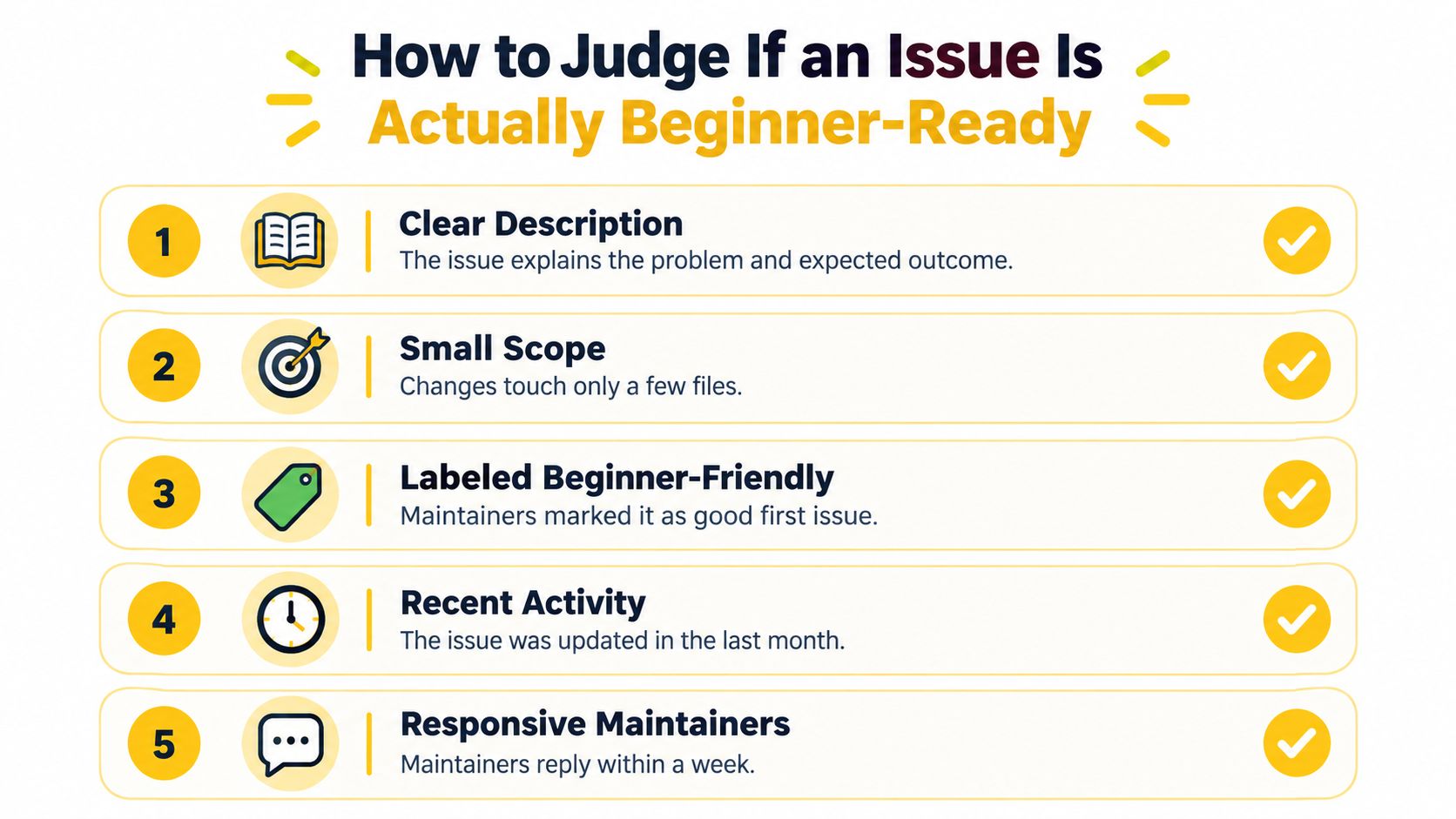
Use these five questions:
- Is the issue current? Look for recent maintainer activity in the discussion. An old label on a quiet issue may not mean the task is still available.
- Can you reproduce the problem? The report should include enough detail to understand what happens and, where relevant, how to trigger it.
- Does it define an outcome? “Improve the wallet setup documentation” is more actionable when it identifies which instructions are missing or incorrect.
- Is the scope bounded? A small documentation change or test is easier to assess than work that touches core protocol or consensus behavior.
- Can you find precedent? Look at similar merged changes to learn what the project considers an acceptable contribution.
| Criterion | What to Look For | Red Flag |
|---|---|---|
| Clear description | The issue explains the problem and expected outcome | It asks for a broad improvement without saying what success means |
| Small scope | The change appears limited and easy to review | The task spans several unrelated systems |
| Beginner signal | A maintainer has marked it as newcomer-friendly | The label is present, but no one has clarified the work |
| Recent activity | Maintainers have engaged with the issue recently | The discussion is stale or the project appears inactive |
| Responsive maintainers | Questions receive useful answers | You can't tell who will review or confirm the approach |
For a blockchain project such as Cascoin, a beginner-ready task might be documenting build dependencies, improving wallet setup instructions, adding a reproducible test for mining-client behavior, or creating a small observability tool. These tasks can help users and maintainers without asking a newcomer to alter consensus or protocol rules. If you're comparing projects before choosing one, this overview of open-source blockchain projects can provide context for evaluating the kinds of repositories in the space.
A task doesn't become safe just because it looks small. If its requirements are unclear, ask before investing time. If nobody can explain what a successful result should look like, choose a better-defined issue or contribute by documenting the confusion.
Starting with a Comment Not a Commit
Your first contribution often starts in conversation. One study found that 47% of newcomers first engaged through GitHub Discussions, compared with 41% through issues and 12% through pull requests. It also found that 14.5% of discussion participants later contributed to issues and 2.64% to pull requests (study of newcomer engagement). A discussion or issue comment can help you learn the project's norms before you commit to a change.

A useful opening message is short and specific. Say what you noticed, what you tried, and what you're asking the maintainer to confirm. For example:
Hi, I'm new to the project and would like to work on this issue. I followed the setup instructions and reproduced the problem on my local build. Could you confirm that the scope is suitable for a first contribution, and point me to the documented test command?
That message shows you've done some groundwork without claiming to understand the entire codebase. If setup failed, say where and include the exact error or the steps that led to it. Avoid posting sensitive information from logs, such as tokens or private keys.
A direct question can save both you and the maintainer time. If you're unsure how testing works, ask whether the project uses a command such as make test or a separate script, rather than guessing and reporting an unrelated failure.
If nobody replies, don't assume you've been rejected. Check the project's contribution guide for a discussion channel, then follow up politely after allowing maintainers time to respond. You can also look at similar merged pull requests to understand local conventions. Avoid opening an unsolicited pull request that skips the issue discussion when the scope is uncertain. A brief conversation can reveal that a task is already claimed, needs a different approach, or isn't suitable for a newcomer yet.
Building the Smallest Useful Change
Once a maintainer confirms the task, create a dedicated branch so your work stays separate from the default branch:
git switch -c docs/clarify-wallet-setup
Reproduce the problem first, then make the smallest change that addresses it. For a documentation issue, that might mean correcting one setup instruction and adding a missing dependency. For a bug report, it could mean writing a test that captures the failure before changing implementation code. Small changes are easier for you to reason about and easier for maintainers to review.
Documentation can be a meaningful first contribution, not a lesser version of coding. A study cited by GitHub's contributor guide found that 28% of casual open-source contributions involve documentation, including typo fixes, reformatting, and translations (GitHub's guide to contributing). If changing core code feels risky, a clear documentation improvement or a reproducible test may be a better way to learn the project.
Follow the repository's own test and lint instructions. Don't assume every project uses the same tools or commands. If a test fails, record whether the failure existed before your change or appeared afterward. Check git status and git diff before committing so you don't include unrelated edits, generated files, or secrets.
Keep the pull request focused on one logical outcome. Use a commit message that describes the change plainly, such as Clarify wallet setup requirements. If you discover an unrelated issue while working, note it separately rather than bundling it into the same change.
When you're ready, push your branch and prepare a pull request that answers the questions maintainers need answered:
- Context: Which issue or user problem does this address?
- Change: What did you change?
- Checks: Which tests, lint commands, or manual checks did you run?
- Limitations: What remains unresolved, or what could you not test?
Be honest about incomplete checks. A precise note about a limitation is more useful than implying that everything passed.
Opening the Pull Request and Surviving Review
A pull request is a request for feedback as well as a proposed change. Give maintainers enough context to evaluate it: link the related issue, explain what changed, describe the checks you ran, and include logs or screenshots when they help. Cascoin's pull request guidelines offer project-specific guidance on presenting a change clearly.
Don't treat a merge as the only sign of progress. Track the contribution journey: you found a repository, confirmed an issue, completed local setup, pushed a branch, opened a pull request, received review, and, if the project accepts the change, saw it merged. Each milestone represents work completed, even if a pull request is later declined or the project goes quiet.
When a maintainer requests changes, read the comments as feedback on the work, not on your worth as a contributor. If you agree, make the change and explain what you updated. If you think a requested change introduces a problem, respond respectfully with a concrete reason, such as a test result or project convention. If there's no reply, follow up politely or ask in the project's public chat. You can also decide to leave the work as a useful learning exercise and move on.
Structured support can make it easier for newcomers to complete a contribution. Google Summer of Code reported a 92.91% success rate in 2024, with 1,213 contributors and 2,233 mentors (Google Summer of Code archive). The practical lesson is that clear tasks, guidance, and feedback matter. If your team is improving its development process, this roundup of top workflow boosters for dev teams may help you think through collaboration and review practices.
Take Your First Step With Cascoin
A good first contribution doesn't need to be a clever algorithm or a dramatic rewrite. Choose a project you care about, confirm that the task is bounded, and make it easy for a maintainer to understand what you've done. Whether the outcome is a merged change, useful feedback, or a clearer understanding of the codebase, you've learned how open source collaboration works.
Cascoin offers a publicly available, MIT-licensed codebase, project documentation, and community discussion on Discord, giving newcomers practical places to explore, ask questions, and contribute. Visit Cascoin to learn about its project and find a contribution path that matches your current skills.